For churches, schools and home educators

Help your group step into the world of the Bible

Sunday school, children's church, holiday clubs, classrooms and home education. Print once, play for years, and finish with questions that bring the story home.

  • Free for home, church and school use
  • Cooperative: children play as one team
  • Bible passage and talk-about questions with every game
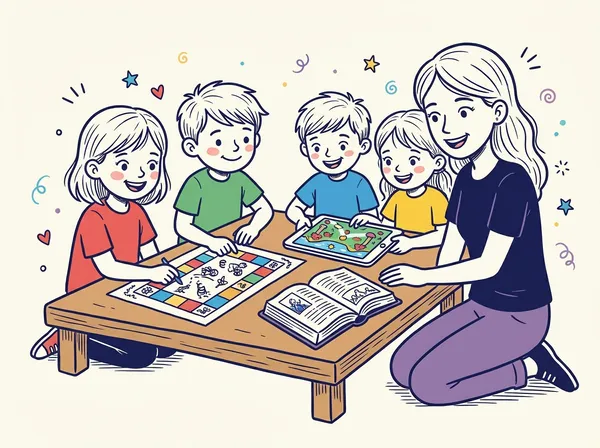
A leader with children playing a printed game and a tablet game, with an open Bible

Plan a session

From game to conversation

One way to fit a game into a 30–40 minute slot. Adjust it to your group. You're free to print copies for your group and show the games on a screen: see what's allowed.

  1. 1
    Show how to play

    Play the short how-to-play video from the game page on a screen. Everyone learns the rules at once.

  2. 2
    Play together

    Groups of 2–4 round one board or one tablet. Start on the easiest level with younger children or a new group.

  3. 3
    Open the Bible

    Read the passage on the game page together. Ask, "What was the same as the game? What was different?"

  4. 4
    Talk about it

    Pick one or two talk-about questions. Keep five minutes for this: it's where the game becomes a conversation. Often the best moment comes later, when children talk about what they discovered after church or at a friend's house.

To openA short round before the Bible story makes children curious.
With a lessonEach game links to Trueway Kids lessons on the same passage.
To finishTen minutes left? A game gives the session a memorable end.
To take homeSend families the game link so they can play and read together.

Getting ready

Printing, devices and 3D pieces

Printing

  • Print at 100% / Actual size, not "Fit to page", so pieces fit the board.
  • Thick paper or card (160–300 gsm) lasts much longer. Laminate boards and cards for groups.
  • One set per 2–4 children. Cut out before the session, or give it to helpers or older children.
  • Keep each set in an envelope or zip bag with a copy of the rules.

Devices

  • Any tablet, phone or computer with an up-to-date browser, including Safari on iPad and iPhone. No accounts.
  • The first load is up to about 26 MB, so open each game on each device before the session.
  • One tablet per small group works well: children plan and talk together.
  • No Wi-Fi or devices? Use the print-and-play version. It's the same game.

3D pieces

  • Some games have 3D-printable pieces. They're a lovely extra, never required.
  • No printer? A school, library, makerspace or church member may be able to help.
  • Every game with 3D pieces also has a paper version, so nobody misses out.

For parents too

Hand a tablet to a child, safely

Our games have no ads, chat or sign-ups. To stop a child wandering off into other apps or websites, lock the device to the game. It's built in and free.

iPad and iPhone: Guided Access

  1. Open Settings → Accessibility → Guided Access, turn it on and set a passcode.
  2. Open the game in Safari.
  3. Triple-click the side button (or the Home button) and tap Start.
  4. To finish, triple-click again and enter your passcode.

Android: App pinning

  1. In Settings, search for App pinning (or Screen pinning) and turn it on.
  2. Open the game in your browser.
  3. Open recent apps, tap the browser's icon and choose Pin.
  4. To unpin, follow the on-screen instructions (usually hold Back and Overview). Names vary by device.

Keeping it faithful

Say what's real and what's imagined

Each game page separates what the Bible records, what history tells us and what the game imagines. It helps to say it out loud too: "The camels in the game are imagined. Let's see what Matthew actually tells us."